Have you ever felt that deep curiosity to decipher the celestial code of your birth? That desire to go beyond your sun sign and discover your complete birth chart, with your rising sign, your moon, and all the other pieces of the puzzle that is you? For centuries, accessing this wisdom required expensive consultations or complex technical knowledge. But the good news is, that has changed. Today, with the right technology in your hands, creating your free birth chart with professional-grade accuracy is simpler than you might think. And the best part: you can learn to interpret it yourself, starting a true journey of self-awareness.
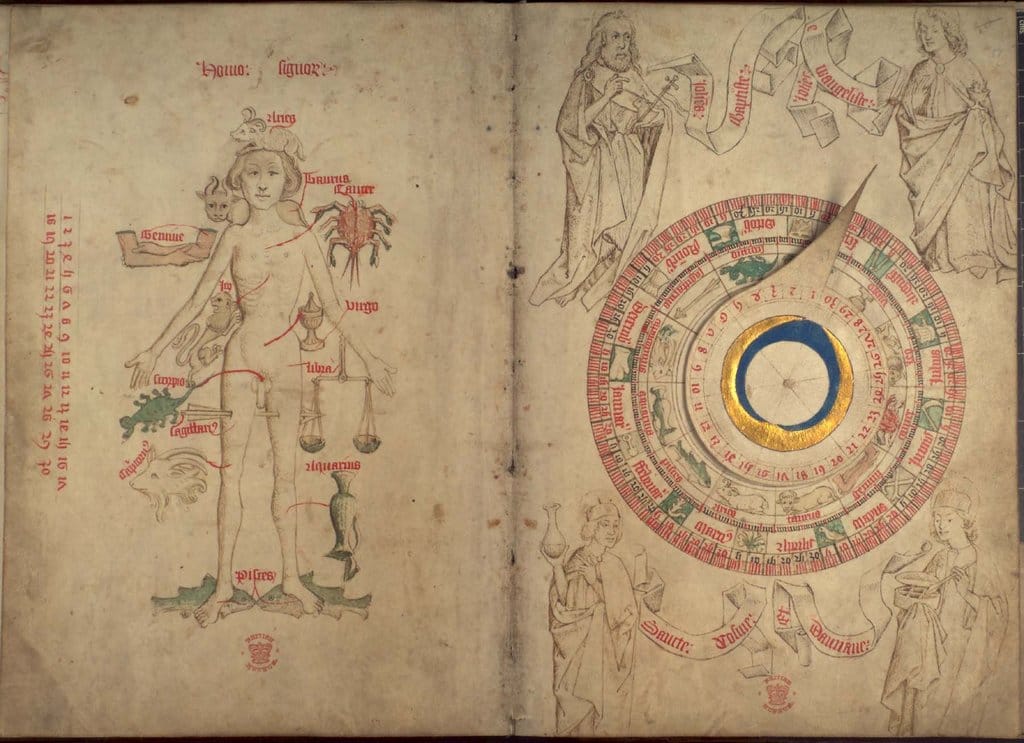
In this step-by-step guide, I will show you exactly how to do this completely for free using the Astral Lens app. It’s a straightforward process, but some details are crucial for the accuracy of your birth chart. Ready?
Why Data Accuracy is Everything in Astrology?
Before we get to the practical steps, a bit of context is important. A birth chart (or natal chart) is a snapshot of the sky at the exact moment and location of your birth. The position of the planets, the Sun, and the Moon in the zodiac signs and astrological houses is calculated based on geographical coordinates and sidereal time. A difference of minutes in the time or degrees in the latitude can alter the calculation of your ascendant, for example.
Historical astrologers, such as those from the Alexandrian school, dedicated themselves to meticulous calculations to construct their charts. Today, apps like Astral Lens automate these complex calculations (using algorithms like VSOP87, the gold standard for high-precision ephemerides), but the responsibility of entering the correct data remains with you. That’s where this guide comes in.
The 7 Steps to Generate Your Free and Accurate Birth Chart
Follow these instructions calmly. Having your birth certificate on hand is ideal.
Step 1: Download the Correct App
The first step is to ensure you are using the right tool. Go to the Google Play Store on your Android phone and search for “Astral Lens” or use the direct link: Download Astral Lens. The app describes itself as a tool for “ethical astrology” and “self-awareness,” focused on precise calculations without generic automated interpretations – perfect for those who want to truly learn.
Step 2: Gather and Verify All Your Birth Information
This is the most critical step for accuracy. You will need:
- Birth Date: Day, month, and year.
- Time of Birth: As exact as possible (hour and minute). Verify on your birth certificate.
- Place of Birth: City, state, and country.
- Time Zone and Daylight Saving Time: Research whether daylight saving time was in effect at your location and on your birth date. This may require you to subtract one hour from the noted time. Historical ephemeris websites can help.
- Geographical Coordinates (Latitude and Longitude in Decimal Format): Here’s a secret for maximum accuracy. Just the city is not enough. Use the dedicated tool on the Astral Lens website to find the exact decimal coordinates of the location: Find Latitude and Longitude. Enter the location details to get the numbers.
Step 3: Find the Hidden Registration Section
After opening the Astral Lens app, go to the user module. A valuable tip: scroll up! The action buttons, like “Edit,” may be purposely located at the bottom of the screen, out of immediate view. Click the “Edit” button to start entering your data.
Step 4: Fill in the Fields Carefully and Attentively
Meticulously enter all the data you gathered in Step 2 into the corresponding fields in the application. Pay extra attention to the time and decimal coordinates. This attention to detail is what separates an approximate chart from a truly personal and reliable one.
Step 5: Save and Unlock the Astrological Universe
After verifying all the information, click the “Save” button. As if by magic (or, actually, by efficient programming), Astral Lens will unlock and activate the main menu buttons, including the crucial “Astrology” button, which provides access to your birth chart, and other tools like Tarot and backup options.
Step 6: Generate Your Complete Birth Chart in One Second
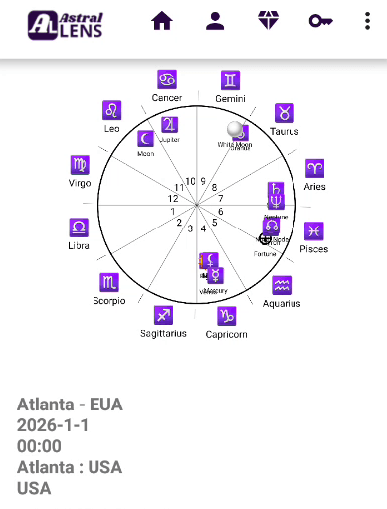
Click the “Astrology” button. In less than a second, the app will process all the data using its high-precision algorithms and display your complete natal birth chart on your screen. You will see the distribution of planets in the houses, their aspects, and all the technical elements used by professional astrologers.
Step 7: Explore, Learn, and Share Your Discovery
Now the journey truly begins. You can:
- Take a screenshot to study.
- Share it with friends who are also astrology enthusiasts for rich discussions.
- Use the chart as a basis to learn how to interpret a birth chart, starting with your sun sign, ascendant, and moon position.
- Generate the chart as many times as you want, testing different times (if uncertain) or creating charts for family members (with their permission) to study love compatibility and other synastry.
Astral Lens thus becomes much more than an astrology app; it’s a powerful study tool for self-awareness, a digital drawing board for the growing amateur astrologer, and even an organizer for those thinking about managing clients in the future.
Conclusion: Your Personal Navigation Chart is Ready
Creating your free online birth chart with accuracy is not only possible but a right on the path of self-discovery. By following these 7 steps with Astral Lens, you transcend generalizations and take the reins of your own astrological interpretation. Remember: the chart is not an immutable destiny, but a complex and rich navigation map. It’s up to you, with curiosity and study, to explore its territories.
How about starting now? Download Astral Lens, gather your data with care, and take the first step to unravel the cosmos within you.